Daily notes, frictionless.
Send a text, a link, or a voice message to LazyLogger via Telegram and it lands in your Obsidian vault, synched across all of your devices, as a structured note.
Self-host for maximum security, or wait for the managed platform for maximum convenience.
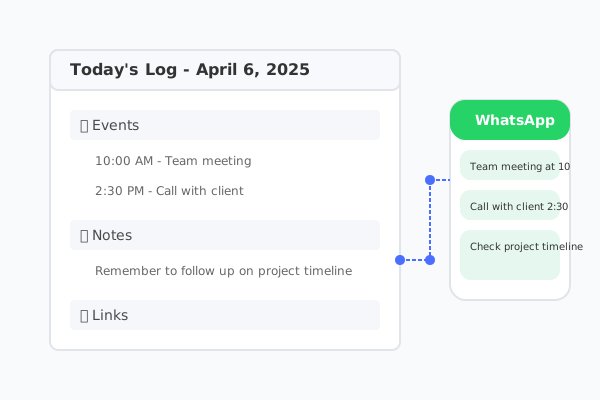
Why this?
I always knew daily notes would help me capture ideas, useful links, and important conversations. The problem was consistency: switching between my work laptop, home desktop, and mostly my phone, I never found a simple workflow that let me update and access everything seamlessly without committing to one rigid tool.
I eventually solved it for myself. Now I can send a quick message to my Telegram bot, use voice without typing, or forward links I want to revisit later. LazyLogger automatically saves everything into my Obsidian vault and keeps it synced across all my devices.
Built for developers who self-host
Telegram Integration
Send text, links, or voice messages from Telegram. Your bot listens 24/7 and captures everything.
AI-Powered Understanding
LangChain agent with your LLM of choice interprets your messages and structures them into meaningful notes.
Obsidian Headless Sync
Notes sync to your Obsidian vault via Obsidian Headless Sync, keeping every device -- including mobile -- up to date in real time.
Self-Hosted & Private
Run it anywhere -- your laptop, a Raspberry Pi, or a cloud VM. Your messages and notes never leave your infrastructure.
Docker Deployment
Single docker-compose.yml spins up all services. Run it on any machine with Docker -- up and running in minutes.
MCP Tools & URL Extraction
Extensible tool system with MCP. Automatically extracts and summarizes URLs from your messages.
How it all connects
Up and running in 3 steps
Clone & Configure
Clone the repo and set up your environment variables for Telegram and your LLM provider.
$ git clone <repo-url> && cd LazyLogger
$ cp .env.example .env
# Edit .env with your credentialsObsidian Sync Setup
One-time login to connect the container to your Obsidian vault via Obsidian Sync.
# Login to your Obsidian account
$ docker compose run --rm obsidian-sync ob login
# List remote vaults
$ docker compose run --rm obsidian-sync ob sync-list-remote
# Link to your vault
$ docker compose run --rm obsidian-sync ob sync-setup \
--vault "Your Vault Name" --path /vaultLaunch
Spin up all services with Docker Compose. Your agent starts listening immediately.
$ docker compose up -d --build
# That's it. Send a Telegram message.Managed Platform Coming Soon
Self-hosting gives you maximum security. Want maximum convenience instead? We're building a managed platform -- leave your email to get notified.
Join the community
GitHub Repository
Star the repo, explore the code, and contribute to the project.
Report Issues
Found a bug or have a feature request? Open an issue and let us know.
Pull Requests
Contribute improvements, fixes, or new MCP tools. PRs are welcome.
Released under the MIT License